POS
Photo menu, dine-in, takeout and delivery. Cash, card terminal, Click, Payme, Uzum Tezkor, Alif, Xumo, Yandex — split payments on one receipt.
FOI · Pricing
Every plan includes POS, inventory, food cost, reports, Telegram, AI insights, and unlimited staff and devices.
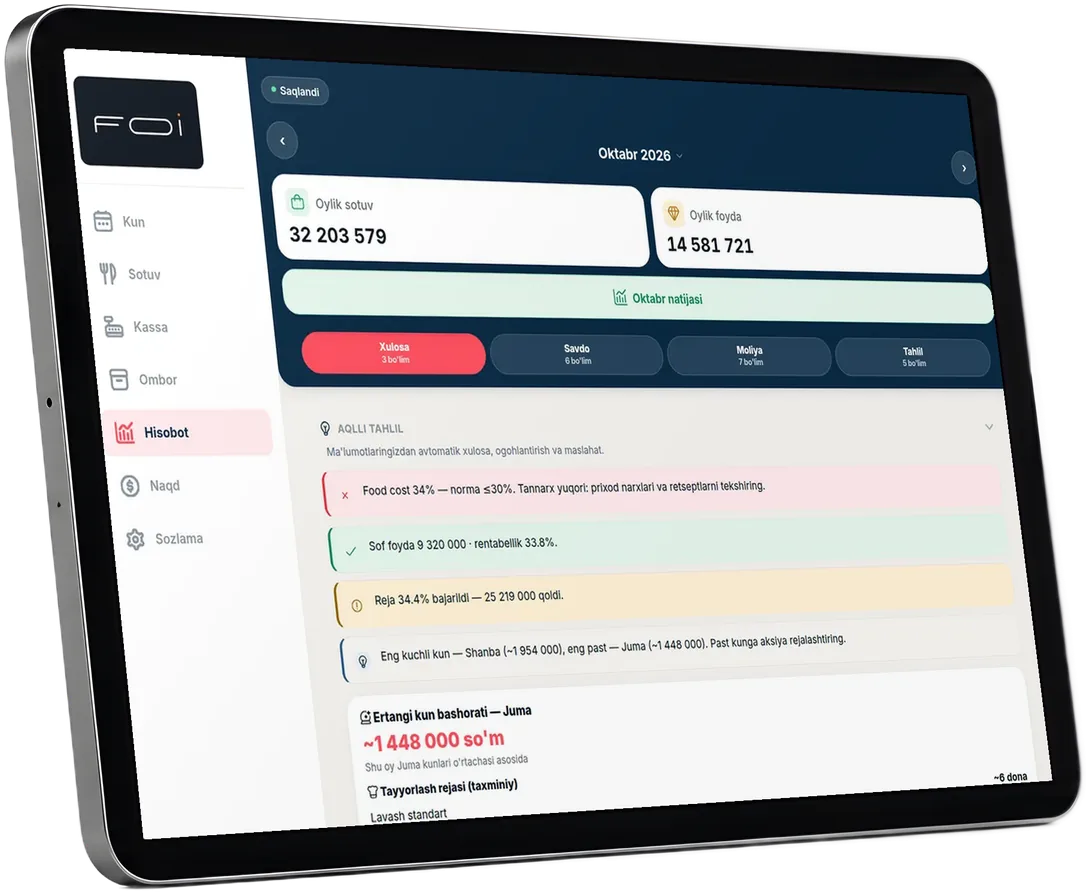
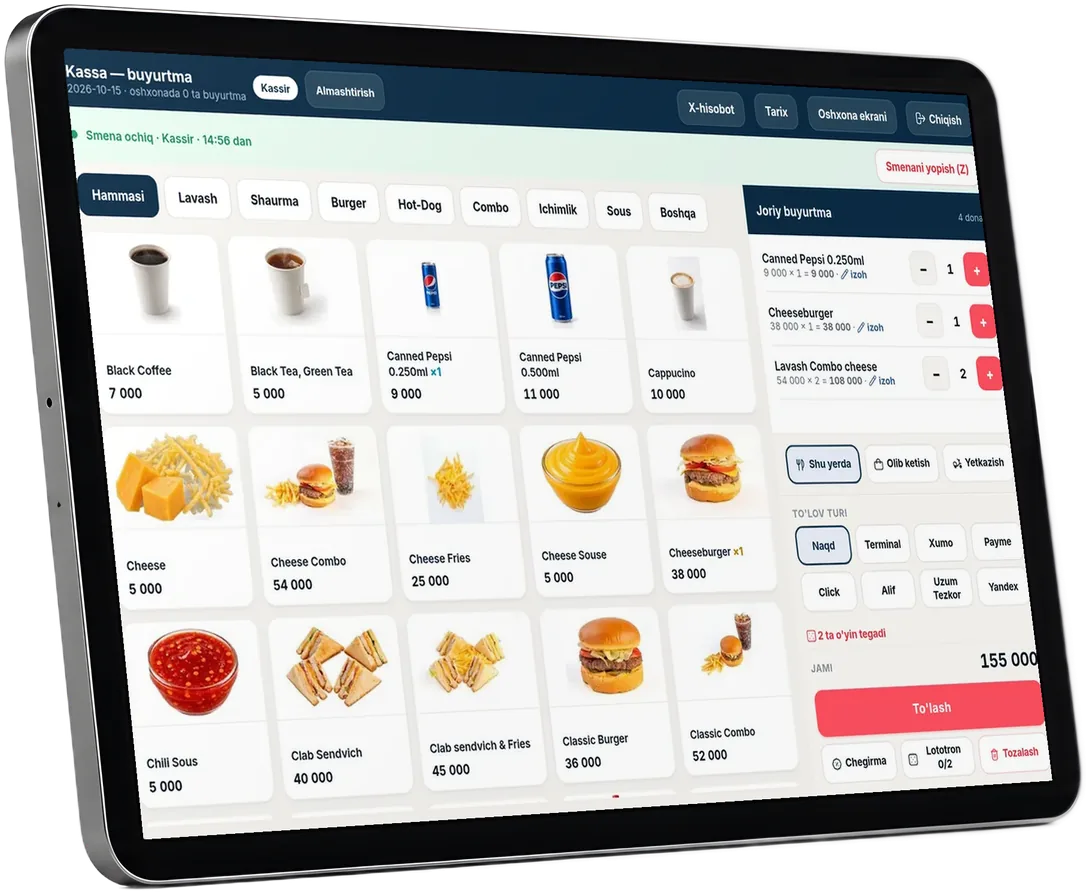
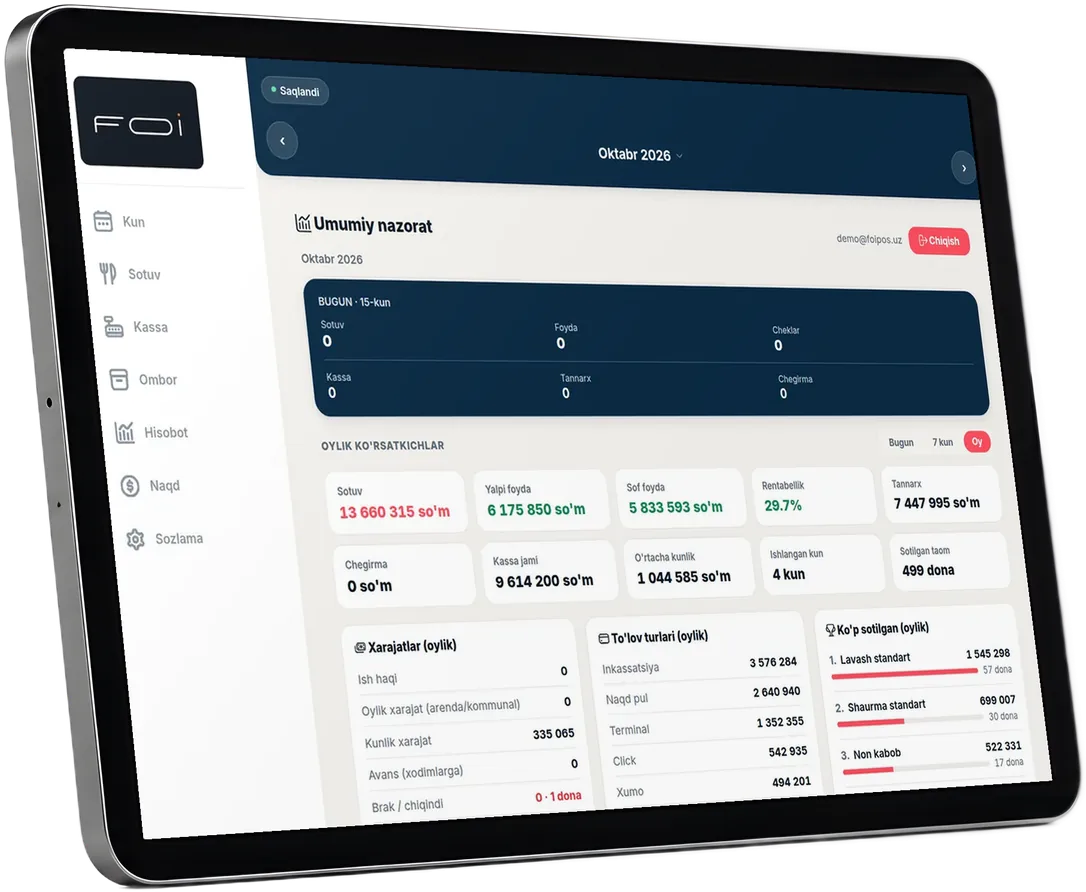
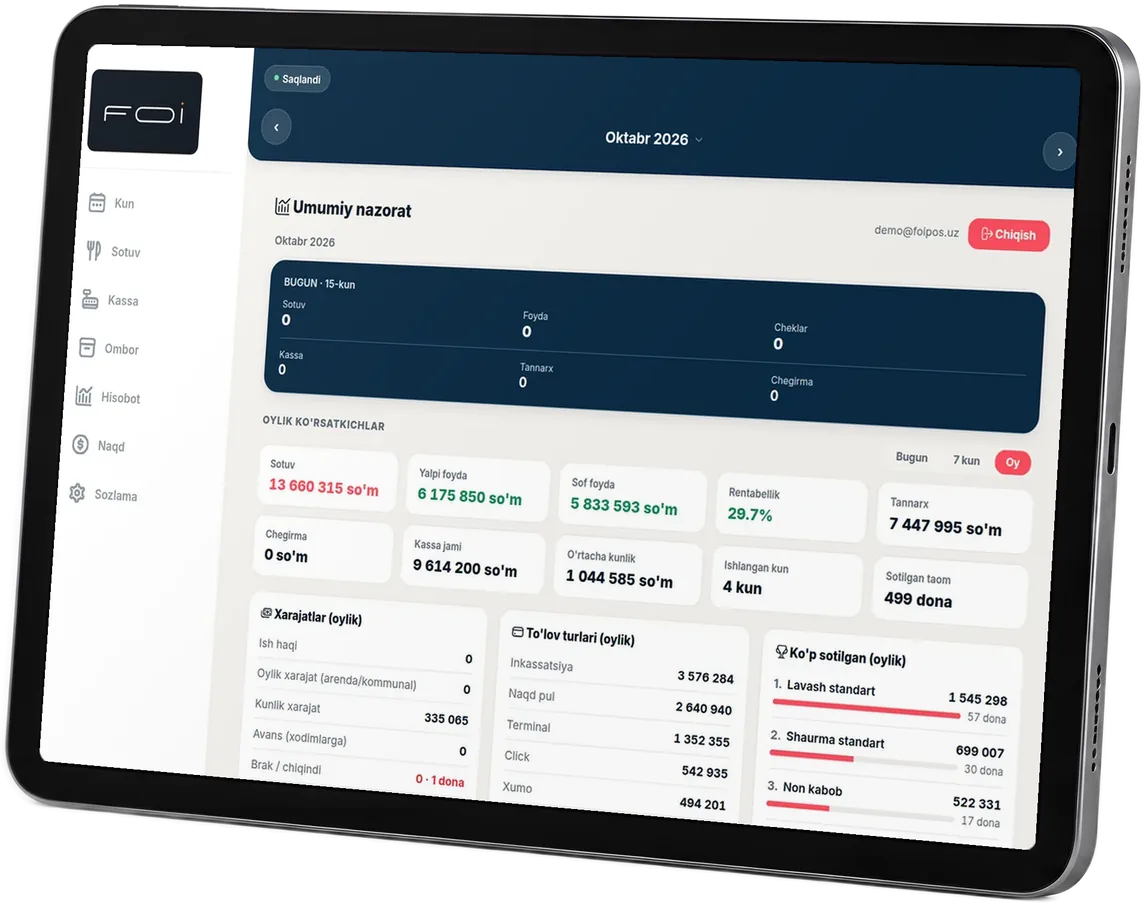
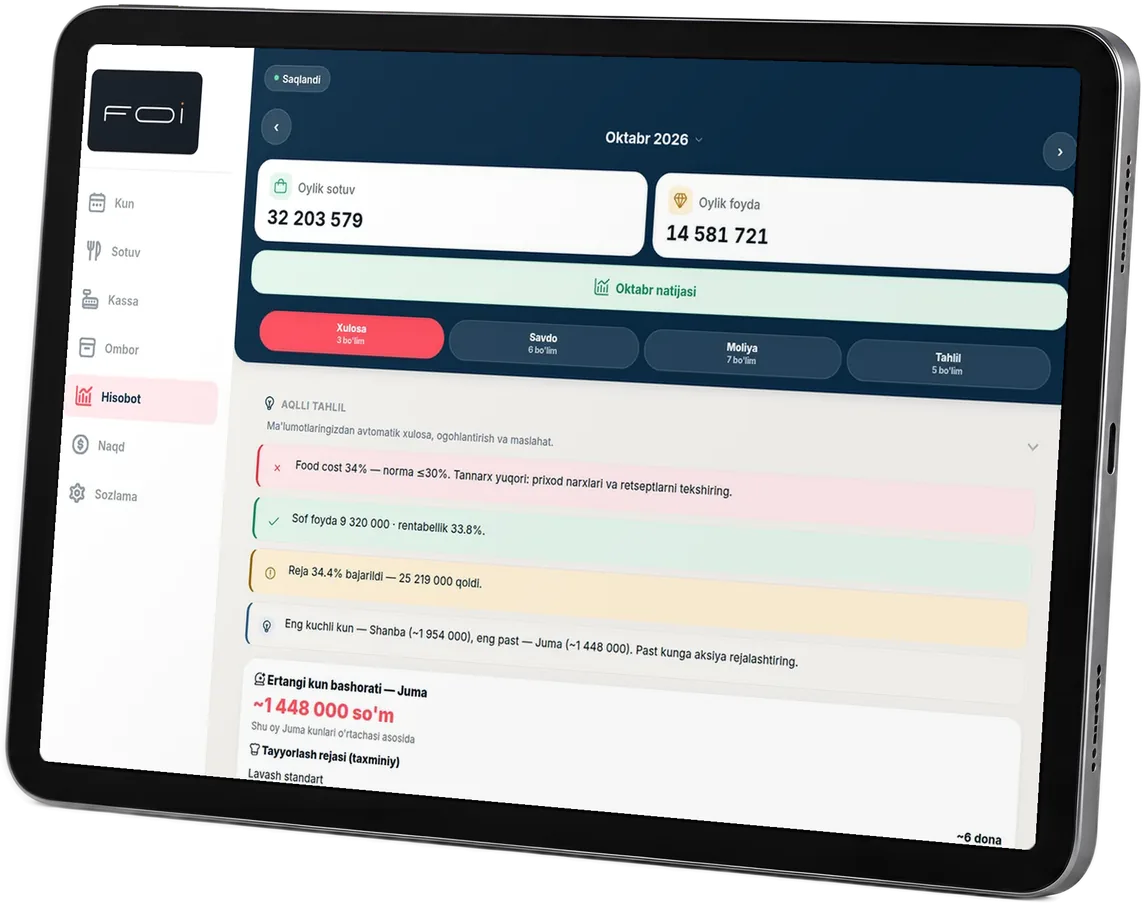
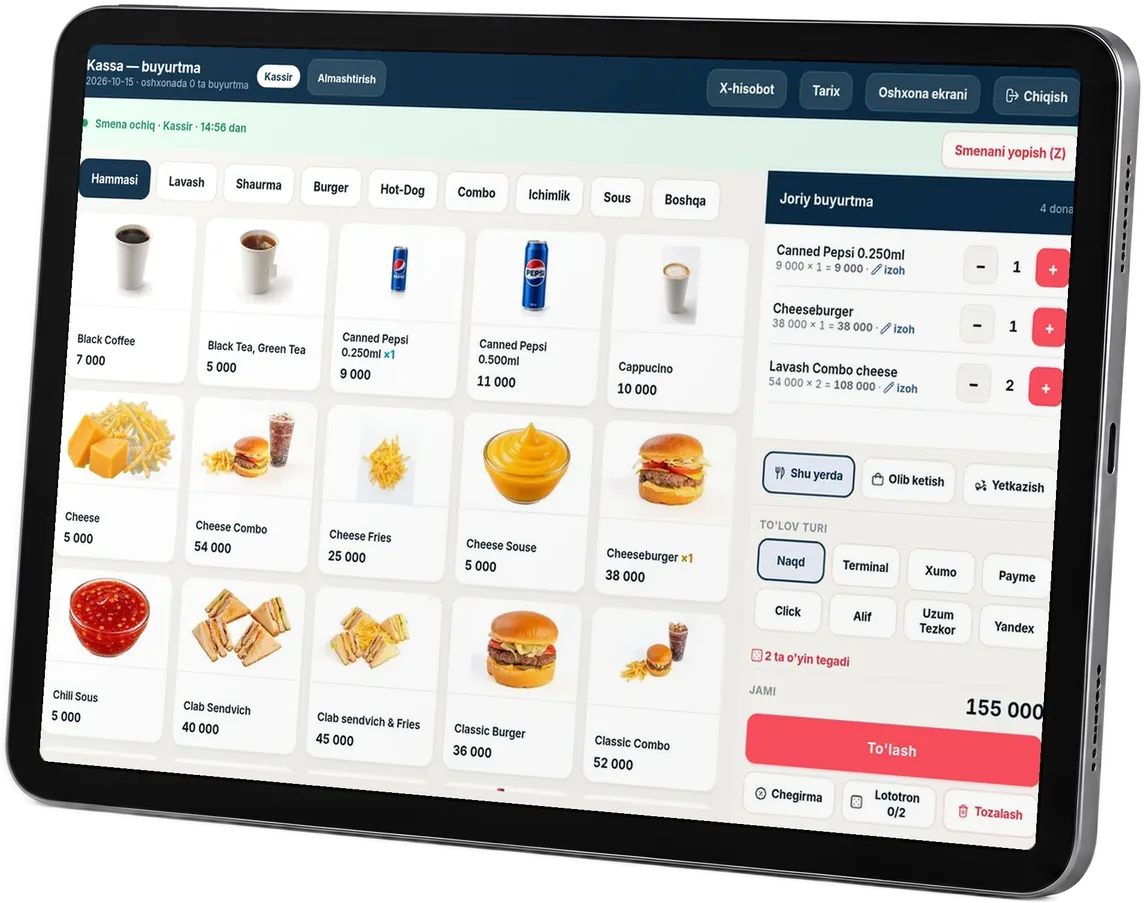
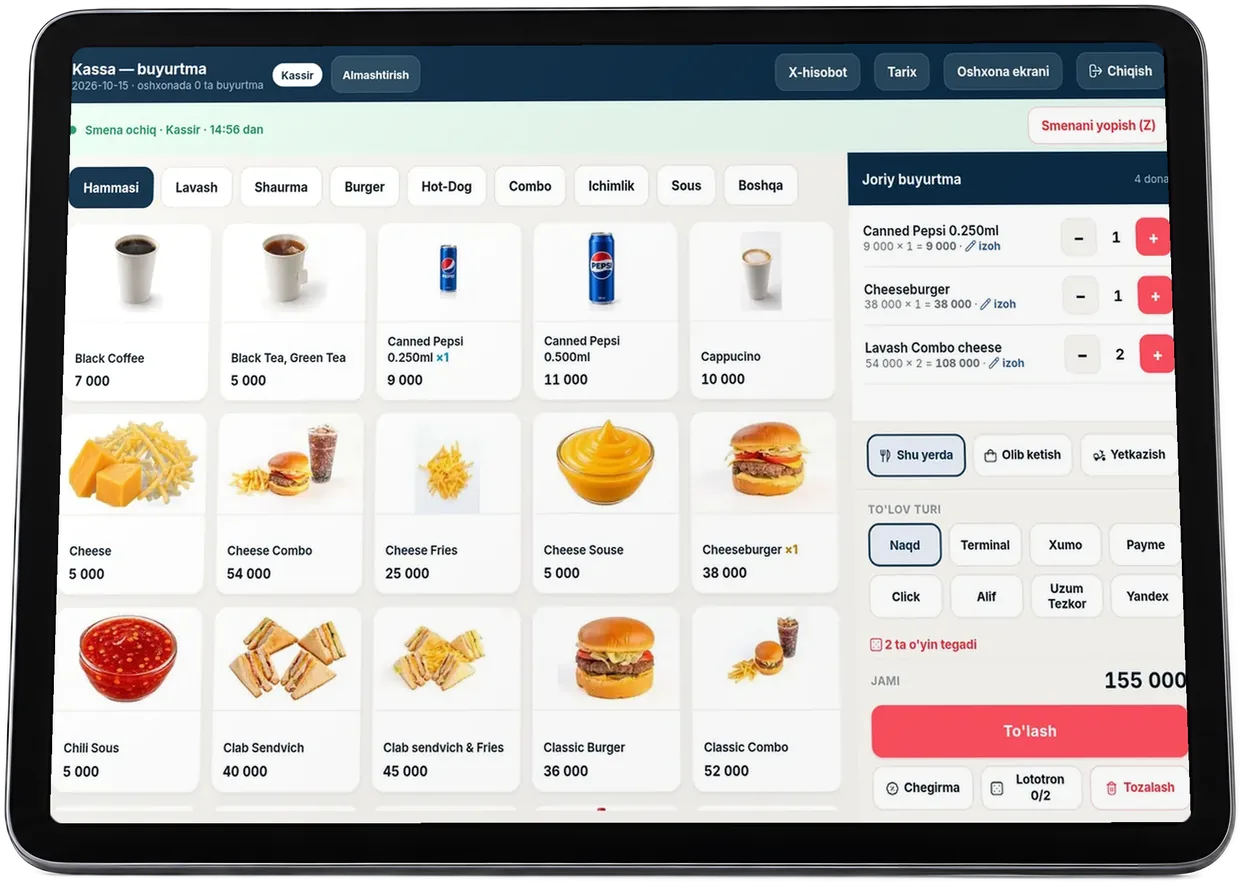
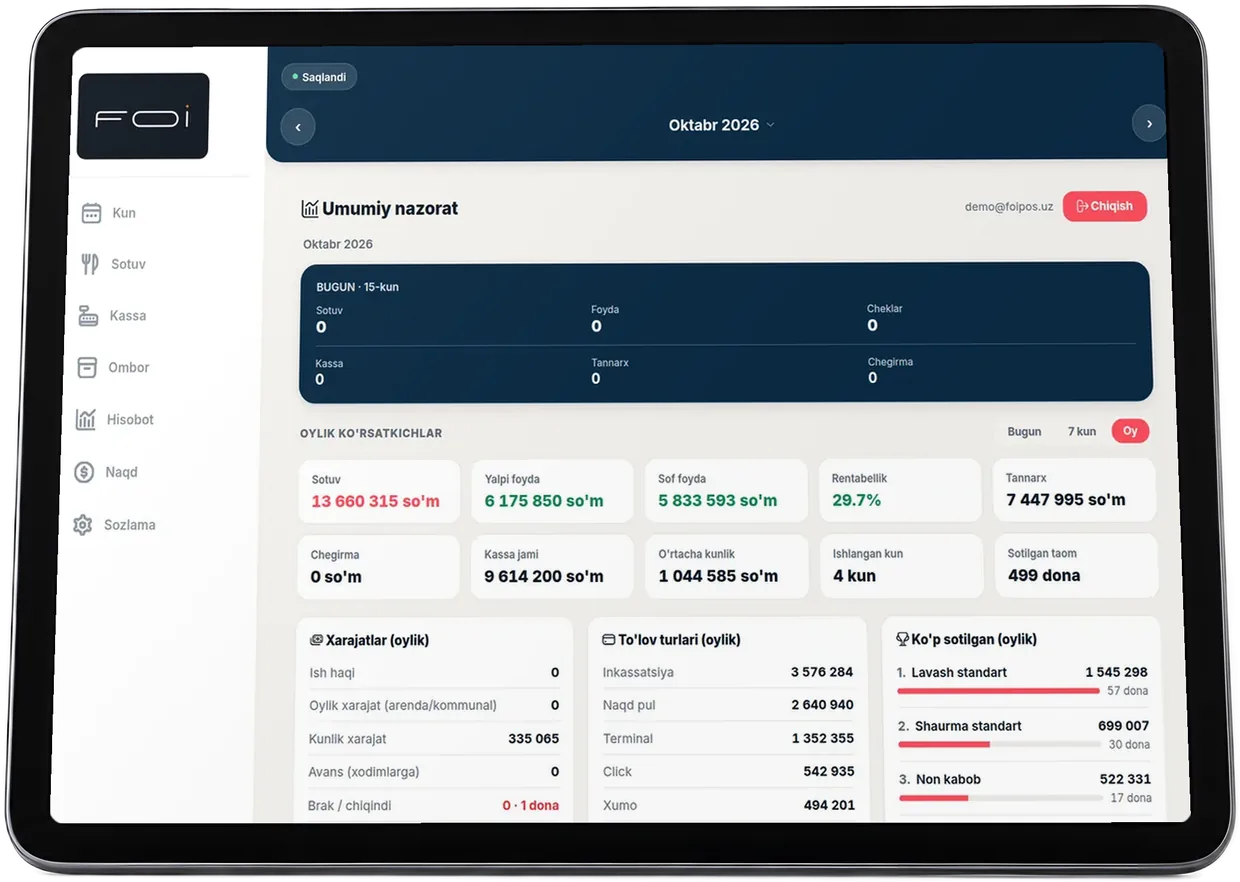
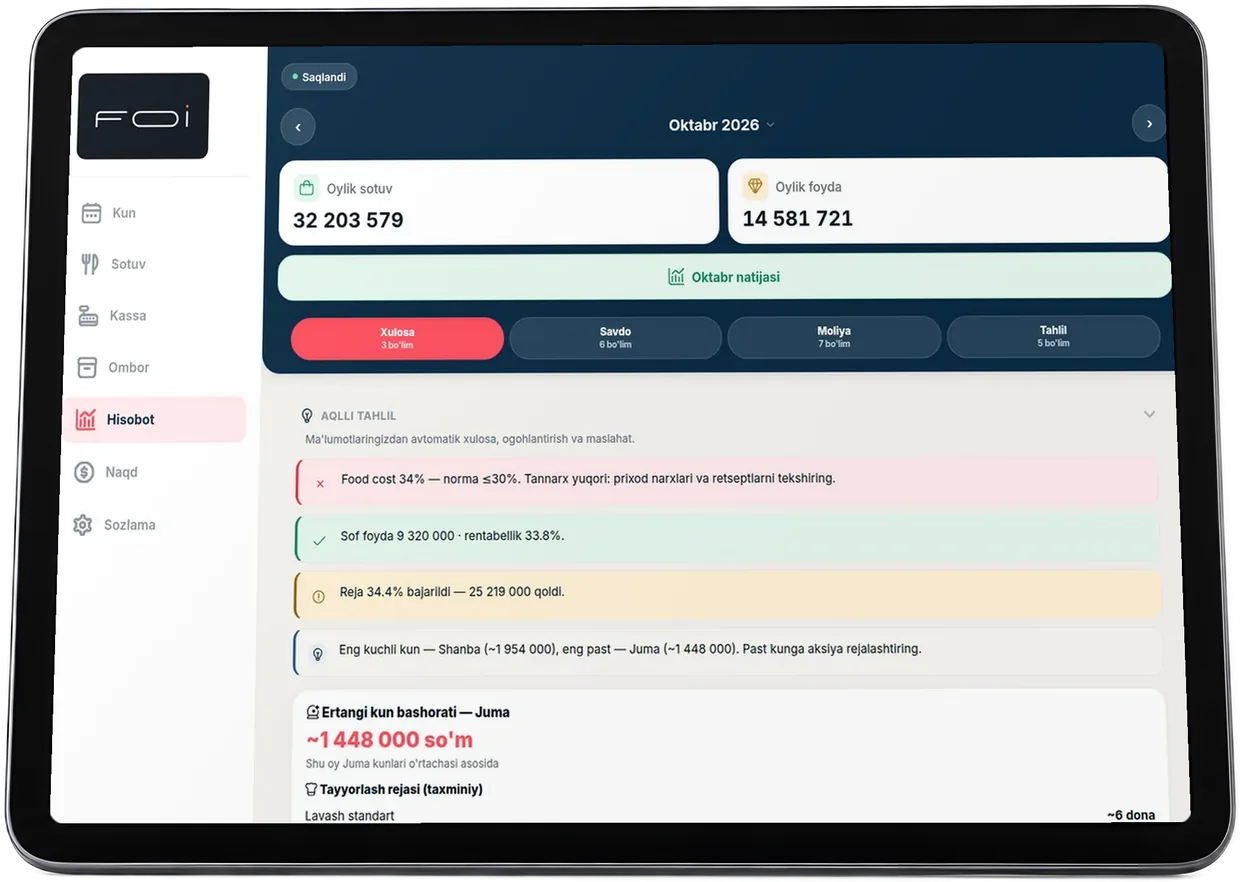
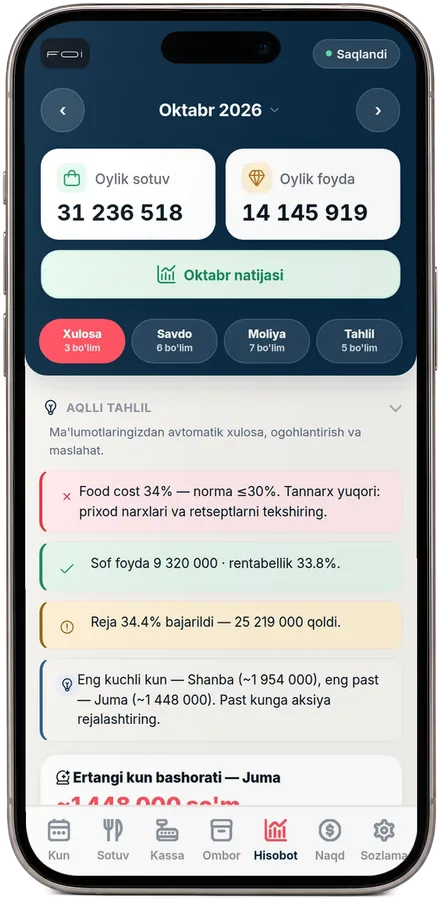
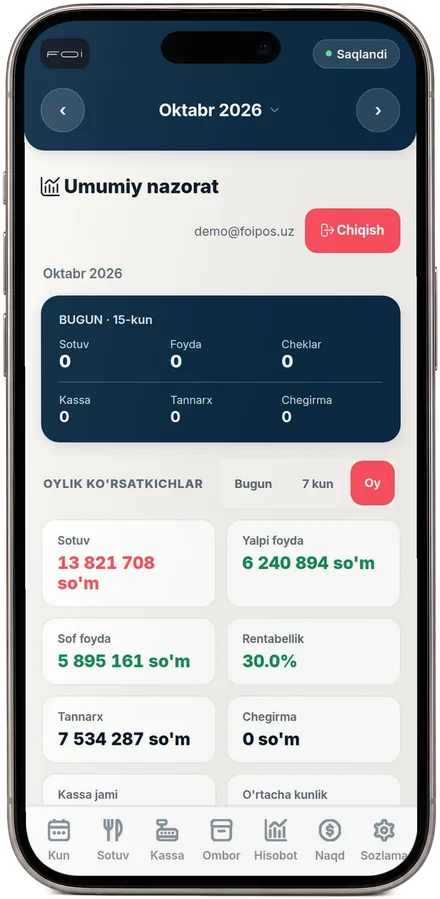
POS: menu, cart and payment methodsOverview: monthly performanceReports: smart insights and tomorrow’s forecast
Live demo
Tap dishes, choose a payment method and tap “Pay”: a receipt appears, then the order moves to the kitchen screen and the customer display below. It all runs on this page. Nothing is sent or saved.

Your cart is empty. Tap a dish to add it.
Payment method
Scroll down: your order moves to the kitchen screen, then the customer display.
A simplified version of the FOI POS. Prices are examples; orders are not sent anywhere.
The order journey
Scroll down to watch an order move from the tablet to the kitchen and then the customer display. Place your own order in the POS to see it make the journey.
The cook sees the order as soon as it’s paid. One tap marks it ready. No paper tickets.
New
Ready
Ready order numbers appear on the TV with a sound alert. No need for the cashier to shout.
Preparing
Ready for pickup
7 days free. No card needed.
Try it freeChoose two plans
Per location. Prices in USD, paid in UZS at the Central Bank exchange rate on the payment date. | 1 month$30Choose plan | 3 months$80Choose plan | Recommended6 months$150Choose plan | 12 months$280Choose plan |
|---|---|---|---|---|
| Pricing | ||||
| Total price | $30 | $80 | $150 | $280 |
| Per month | $30 | $26.67 | $25 | $23.33 |
| Save | — | $10 · 11% | $30 · 17% | $80 · 22% |
| What FOI can do | ||||
| POS | ||||
| Shifts and cash differences | ||||
| Kitchen display (KDS) | ||||
| Inventory | ||||
| Food cost | ||||
| Reports | ||||
| Telegram | ||||
| AI insights | ||||
| Terms | ||||
| Per location | ||||
| 7 days free | ||||
| No card needed | ||||
| App in Uzbek and Russian | ||||
| Unlimited staff and devices | ||||
Take orders on a phone or tablet. Stock levels, food cost per dish and daily profit are calculated automatically. Close your shift and get a Z-report in your Telegram group.
Photo menu, dine-in, takeout and delivery. Cash, card terminal, Click, Payme, Uzum Tezkor, Alif, Xumo, Yandex — split payments on one receipt.
Open and close shifts, run an X-report or Z-report. See cash differences between the register and the system right away.
Orders appear on the kitchen screen. The cashier sees when they are ready.
Daily stock levels, incoming stock from market purchases and monthly stock counts. Get a reorder alert when stock drops below your minimum.
Food cost and profit per dish, based on recipes. Market prices change — food cost updates too.
Daily and monthly sales, gross and net profit, expenses, payment methods and bestsellers. Export to Excel and Word.
Z-reports, cash differences and canceled receipts — sent automatically to the owner’s Telegram group.
A summary in Uzbek right in your report: flags high food cost, forecasts tomorrow’s sales and how many dishes to prepare.
Real app screenshots with sample figures.
Not yet. Tax-integrated fiscal receipts are in development and coming soon. For now, FOI prints regular receipts; your existing online cash register issues fiscal receipts.
A phone, tablet or computer with internet. The app runs in your browser and can be added to your home screen. A receipt printer is optional.
The POS keeps working. Data syncs to the cloud when your connection returns.
You do. Export it to Excel anytime. If your subscription ends, we’ll provide it on request.
Your business name, address and phone number. FOI appears in small print at the bottom.
All features are available for 7 days, no card needed. We’ll help you add your menu.
In UZS via Click, Payme or bank transfer. Need an invoice? Message us.
Message us on Telegram — we’ll get you set up and help add your menu.
Try it free7 days free · no card needed · app in Uzbek and Russian